If you are building models for production use, follow these best practices to ensure your designs are clear, consistent, and ready for forward engineering.
Who Should Follow These Best Practices
These guidelines are useful if you are:
-
Creating a new data model or domain
-
Updating or modernizing an existing model
-
Working as part of a shared modeling team
-
New to QDM or an existing data platform
-
Preparing models for database deployment
What You Will Gain
By following these practices, you will:
-
Create models that are easier to review and maintain
-
Keep naming and data types consistent across models
-
Follow a clear logical → physical → SQL workflow
-
Reduce common modeling errors and rework
1. Start with a Structured AI Prompt
When using the AI Generator, the quality of the model depends on how clearly you describe your requirements.
Do
-
Provide clear business context (for example, retail or healthcare)
-
Define entities, key attributes, and relationships
-
Include important data types (decimal, enum, timestamp)
Avoid
-
Vague prompts (for example, “build an e‑commerce schema”)
-
Overloading a single prompt with too many entities
-
Leaving data types unspecified
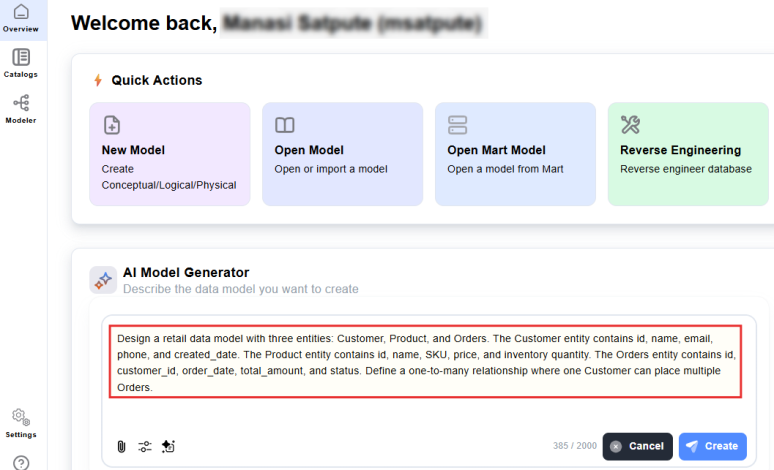
Best practice: Use a consistent prompt structure and reuse it across projects.
2. Use Consistent Naming Conventions
Consistent naming improves readability and long-term maintainability.
Recommended Naming Conventions
-
Entities: PascalCase, plural (Customers, OrderLines)
-
Columns: snake_case (first_name, created_at)
-
Primary keys: id or {entity}_id
-
Foreign keys: {ref}_id
-
Booleans: is_ or has_ prefix
-
Timestamps: _at suffix
Avoid
-
Mixing naming styles in the same model
-
Using unclear abbreviations
-
Choosing names that conflict with SQL keywords
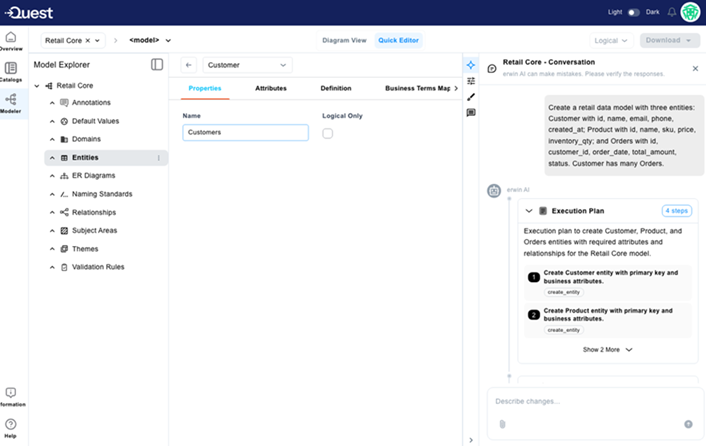
Note: Fix naming deviations early using Quick Editor, before expanding the model.
3. Reuse Data Definitions with Domains
Domains allow you to define and reuse data rules across your model.
Do
-
Create a domain when a data type appears in three or more columns
-
Add validation rules such as ranges or formats
-
Manage domains centrally
-
Update the domain to apply changes everywhere
Avoid
-
Re‑typing the same physical data type repeatedly
-
Creating very generic domains with no business meaning
-
Creating domains used by only one attribute
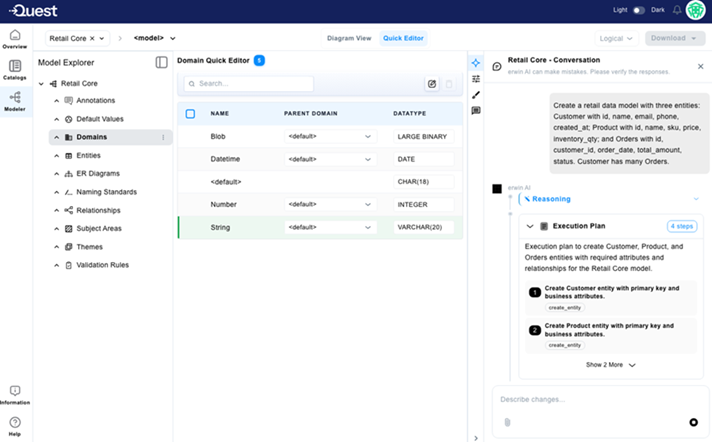
Best practice: Use domains to enforce consistency at scale.
4. Model Logical First, Then Physical
Each model type serves a different purpose.
Logical Models
-
Capture business meaning and rules
-
Are database‑independent
-
Do not include engine‑specific details
Physical Models
-
Represent deployment‑ready designs
-
Include database‑specific types and constraints
-
Consider performance and indexing
Do
-
Start with a logical model
-
Convert to physical only when requirements are stable
-
Choose the target database during physical conversion
Avoid
-
Designing physical structures too early
-
Changing database engines after conversion
-
Editing logical and physical models at the same time
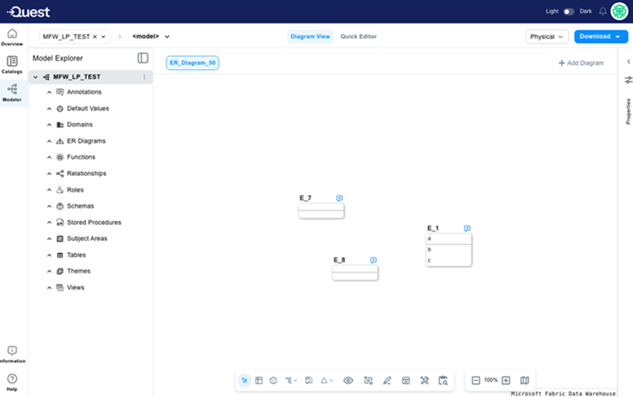
5: Use the Right Tool for the Task
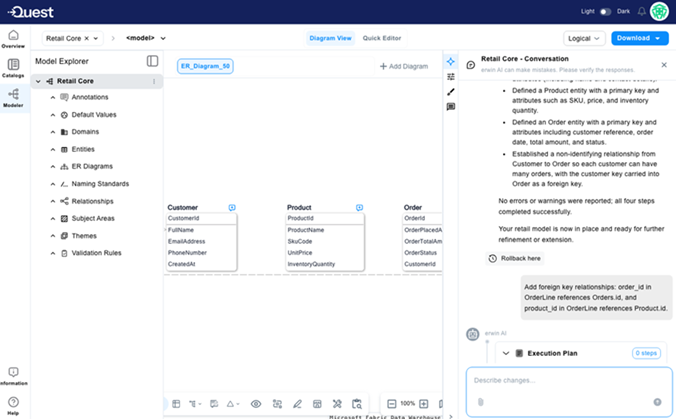
QDM provides different tools for different types of work.
Use Quick Editor For
-
Bulk updates
-
Renaming attributes
-
Data type changes across multiple fields
Use Diagram View (Canvas) For
-
Creating entities
-
Designing relationships
-
Visualizing model structure
Avoid
-
Renaming attributes one by one in the diagram
-
Designing relationships only in grids
-
Leaving Quick Editor open without saving
6: Validate Before Forward Engineering
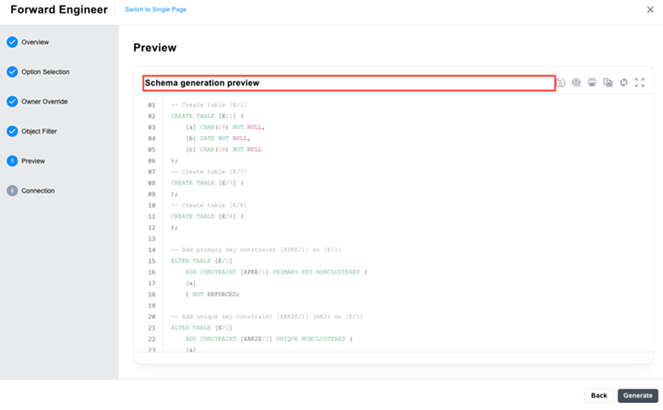
Forward engineering should be treated as a release step, not an experiment.
Before generating SQL, verify:
Structure
-
Every entity has a primary key
-
All relationships have valid foreign keys
-
No orphan entities
-
Domains used for repeated data types
Naming
-
Naming standards are applied consistently
-
Keys and timestamps follow conventions
-
No undocumented abbreviations
Deployability
-
Model is in Physical state
-
Owner and schema are set
-
Required indexes are defined
-
SQL preview is reviewed carefully
Avoid
-
Generating SQL from outdated models
-
Relying on default schema settings
-
Deploying SQL without review
7: Common Anti‑Patterns to Avoid
These issues often lead to rework and inconsistencies:
-
Using a single large AI prompt instead of refining iteratively
-
Ignoring AI-generated previews before confirming
-
Making bulk changes outside Quick Editor
-
Forward engineering from a logical-only model
-
Treating models as one-time outputs instead of evolving assets
Applying these best practices helps you move from initial modeling to production-ready design with fewer errors and greater consistency.